# Get started
`dagster-dataframely` attaches a [Dataframely](https://github.com/Quantco/dataframely) schema to a [Dagster](https://dagster.io) asset whose function returns a [Polars](https://pola.rs) frame. You declare the schema once, and `dd.asset` fills the Columns tab and reports each rule as an asset check. Below, you declare one asset, see what `dd.asset` adds to it in Dagster, and run it.
``` python
import dataframely as dy
import polars as pl
import dagster_dataframely as dd
class CustomersSchema(dy.Schema):
"""A storefront customer account."""
customer_id = dy.String(primary_key=True, description="Account identifier.")
email = dy.String(nullable=False, description="Address for receipts.")
lifetime_value = dy.Float64(nullable=False, min=0.0, description="Spend to date.")
@dd.asset(CustomersSchema)
def customers(raw_customers: pl.DataFrame) -> pl.DataFrame:
"""Validate the storefront's customer accounts."""
return raw_customers
```
The asset's checks exist as soon as the module imports, one per rule plus the column-schema check. By default, Dataframely adds a `nullability` rule to every column, and `inf` and `nan` rules to every float column:
``` python
[spec.name for spec in customers.check_specs]
```
['dy_schema__columns',
'dy_rule__primary_key',
'dy_rule__customer_id__nullability',
'dy_rule__email__nullability',
'dy_rule__lifetime_value__nullability',
'dy_rule__lifetime_value__min',
'dy_rule__lifetime_value__inf',
'dy_rule__lifetime_value__nan']
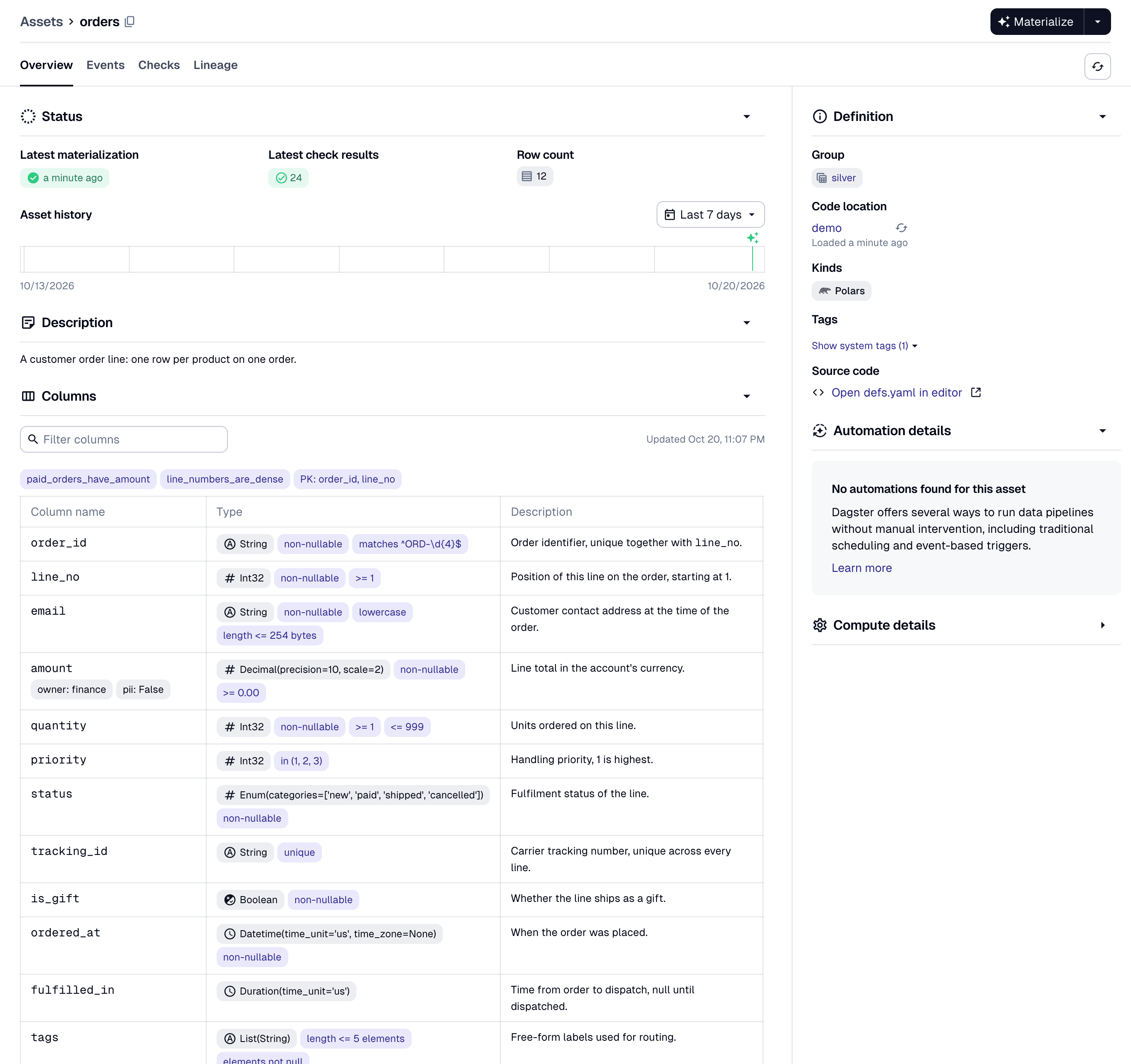
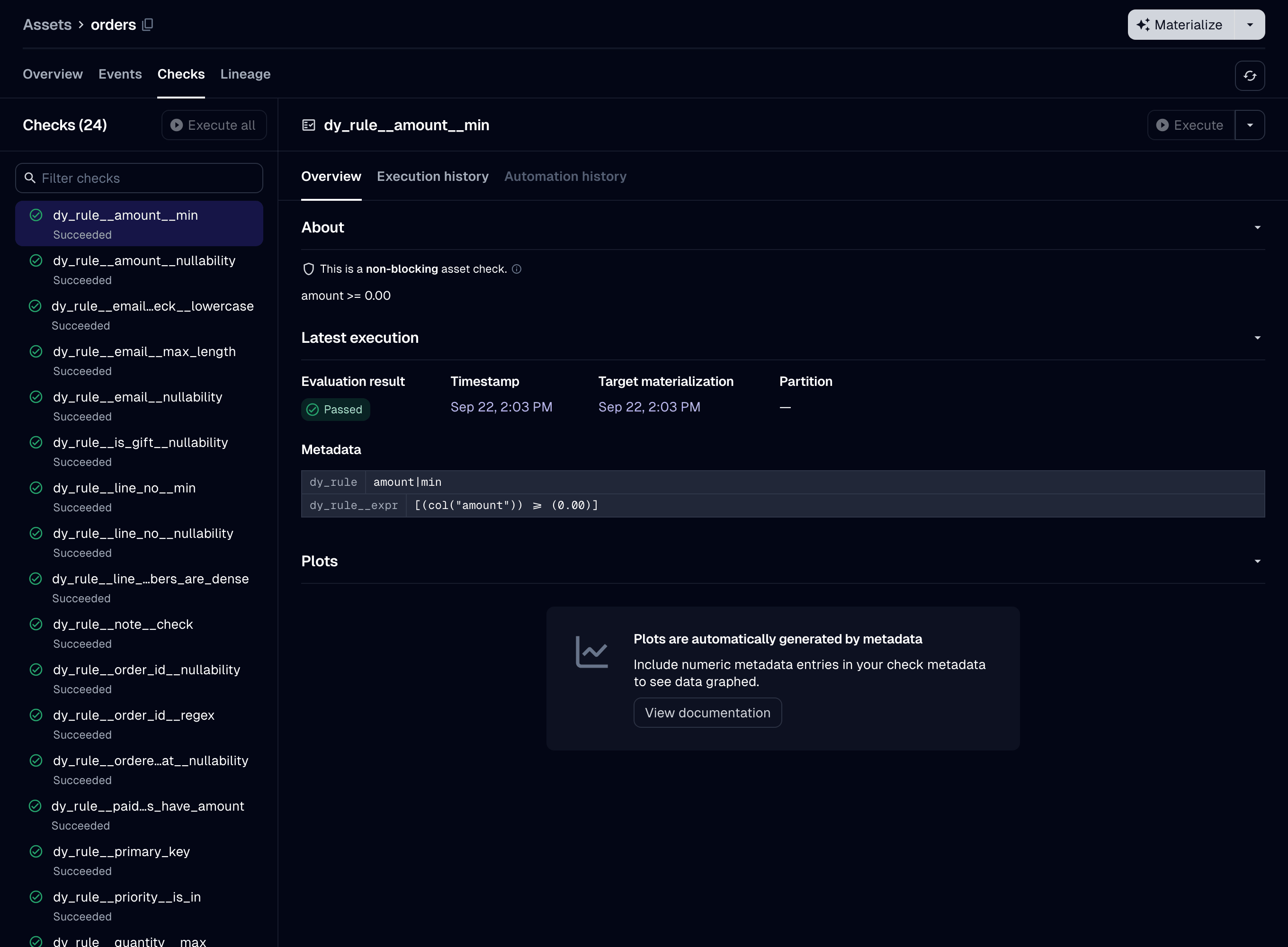
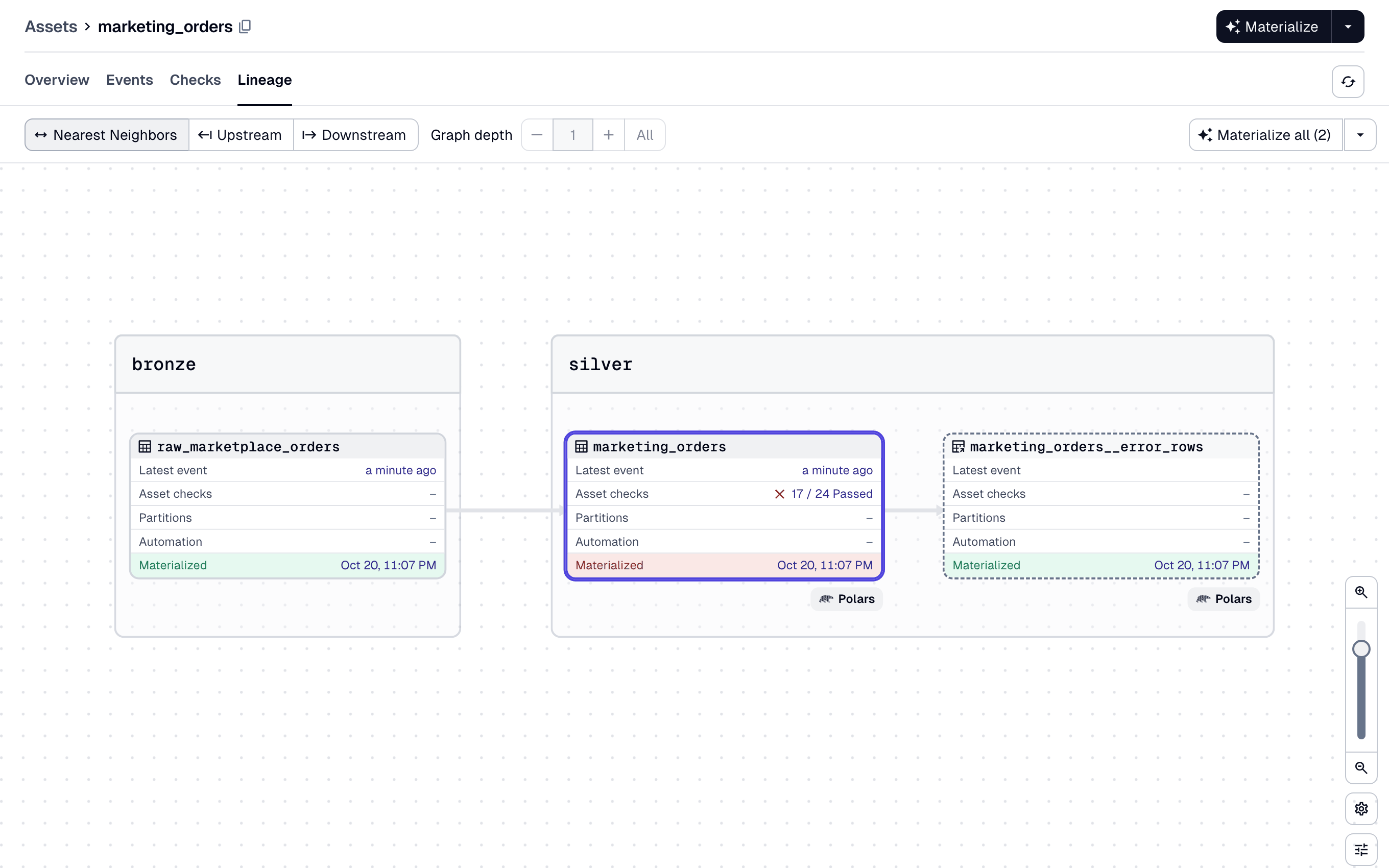
The two Python modules on this page come from [the demo pipeline](https://github.com/ozanozbeker/dagster-dataframely/tree/main/demo), and every image is a screenshot of it. The images show assets that use [`OrdersSchema`](https://ozanozbeker.com/dagster-dataframely/reference/data.OrdersSchema.html), the schema the package ships in `dd.data` for its examples. From the `dd.asset` declaration above, you get:
- **The catalog's Columns tab**, filled in before the asset first runs: dtypes, descriptions, nullability, uniqueness, the primary key at table level, and every other column constraint beside its column.
- **One asset check per Dataframely rule**, and each check has its own pass/fail history.
- **A blocking column-schema check** that compares the frame's columns and dtypes with the schema's, before `Schema.filter` runs.
- **A severity for each rule**, `"error"` by default or `"warn"`, declared in the schema. A row that fails an `"error"` rule fails the run, and a row that fails only `"warn"` rules is written with a warning.
- **A code version derived from the schema**, so Dagster marks the asset stale after a schema edit.
- **Error rows**, if you set `filter=True`. A run writes the rows that failed an `"error"` rule to a table next to the asset's, writes the other rows to the asset's table, and succeeds. The run still fails when every row fails an `"error"` rule.
The decorated function is a normal Dagster asset function. Dagster passes upstream assets to it as parameters. It can also declare a `context` parameter. It returns a `pl.DataFrame` or a `pl.LazyFrame`, a `dg.MaterializeResult` whose `value` is one of those, or `None`.
`dd.asset` accepts every `@dg.asset` parameter under the same name, except six that [Declaring an asset](declaring-an-asset.md) lists.
# Package philosophy
**Schema on write.** `dd.asset` validates the frame before the asset writes it, never a table the asset reads. The checks run before the IO manager receives the frame, so the IO manager never writes a row that failed an `"error"` rule.
Use this package after ingestion, from bronze to silver to gold, to check that data is fit to publish. Load raw records with a permissive loader such as [`dlt`](https://dlthub.com), and declare a schema on the first table that other people query. Use another tool for ingestion-scale or larger-than-memory data.
**The decorated function must return every column of the schema, with the schema's dtype.** A missing column or a dtype that differs from the schema's fails the run, and the package never casts. There is no lenient mode. Extra columns and column order need no extra work: `Schema.filter` drops the columns the schema does not declare and returns the rest in the schema's order.
**Partial data needs a declaration, not a setting.** The only parameter for it is `filter=True`. No environment variable sets it. Without it, one row that fails an `"error"` rule fails the run and the package writes nothing, so your last-known-good table is unchanged.
**The decorator is strict, but you can use its parts without it.** The package builds `dd.asset` from parts that it also exports under `dd.wiring`. Use them for an asset that `dd.asset` cannot build, such as one that writes its own storage, as [Hand-wiring](hand-wiring.md) shows. For a table that something else already wrote, `dd.build_rule_checks` reports the schema's rules as asset checks, as [Rule checks](rule-checks.md) shows.
# Running the asset
To run `customers`, [install the package](https://ozanozbeker.com/dagster-dataframely/#installation), bind an IO manager, and materialize the asset from the Dagster UI. In a `dg` project, Dagster loads every module under `defs/` automatically, so the IO manager needs one more file:
``` python
import dagster as dg
from dagster_dataframely.data import ParquetIOManager
@dg.definitions
def resources() -> dg.Definitions:
"""Bind the Parquet IO manager the pipeline writes through."""
return dg.Definitions(
resources={"io_manager": ParquetIOManager(base_dir="storage")}
)
```
The package ships [ParquetIOManager](../reference/data.ParquetIOManager.md#dagster_dataframely.data.ParquetIOManager) for its examples, so they need no IO manager library. In your own project, bind a library IO manager such as [`dagster-polars`](https://docs.dagster.io/integrations/libraries/polars)' `PolarsParquetIOManager`.
`customers` reads `raw_customers`, so the asset that produces `raw_customers` goes under `defs/` too. Run `dg dev` and materialize both from the UI.
After the run, the asset has four things:
- The catalog's Columns tab, filled from `CustomersSchema`, before the first run.
- One asset check per rule, each with its own history.
- A materialization that has the row count, a row sample and statistics for each dtype group.
- A table, written by your IO manager.
To write the rows that fail an `"error"` rule to a separate table instead of failing the run, declare `@dd.asset(CustomersSchema, filter=True)`, as [Filtering error rows](filtering-error-rows.md) describes.
# Where to go next
Read the Guide pages in order:
1. [Declaring an asset](declaring-an-asset.md) covers the decorator's parameters, the code version and what the function may return.
2. [Validation](validation.md) lists the five kinds of run and what each one writes.
3. [Rule severity](rule-severity.md) covers declaring a `"warn"` rule and which checks are blocking.
4. [Filtering error rows](filtering-error-rows.md) covers `filter=True` and the error rows.
5. [What a run produces](what-a-run-produces.md) lists every metadata key a run writes.
6. [Testing an asset](testing-an-asset.md) covers testing an asset by calling it, with no run.
7. [Partitioning](partitioning.md) covers an asset with a `partitions_def`.
8. [`LazyFrame`s](lazyframes.md) covers a `pl.LazyFrame` that the asset reads or returns.
9. [Collection checks](collection-checks.md) covers `dd.build_collection_checks`, which reports a Dataframely `Collection`'s collection filters as asset checks.
10. [Rule checks](rule-checks.md) covers `dd.build_rule_checks`, which reports a schema's rules as asset checks on an asset that `dd.asset` did not build.
The Details pages are for looking something up: [Settings](settings.md), [Naming](naming.md), [Errors](errors.md), [Hand-wiring](hand-wiring.md) and [Upgrading](upgrading.md).