Setup: the demo’s Orders schema, which every example on this page uses
import dagster as dg
import dataframely as dy
import polars as pl

import dagster_dataframely as dd
from dagster_dataframely_demo.schema import Orders
You launch a run as you would for any Dagster asset: from the UI, from a schedule or a sensor, or with dg.materialize([orders], resources={...}). This package reports a run’s results in two places: the table’s materialization and the asset checks.
The table’s materialization
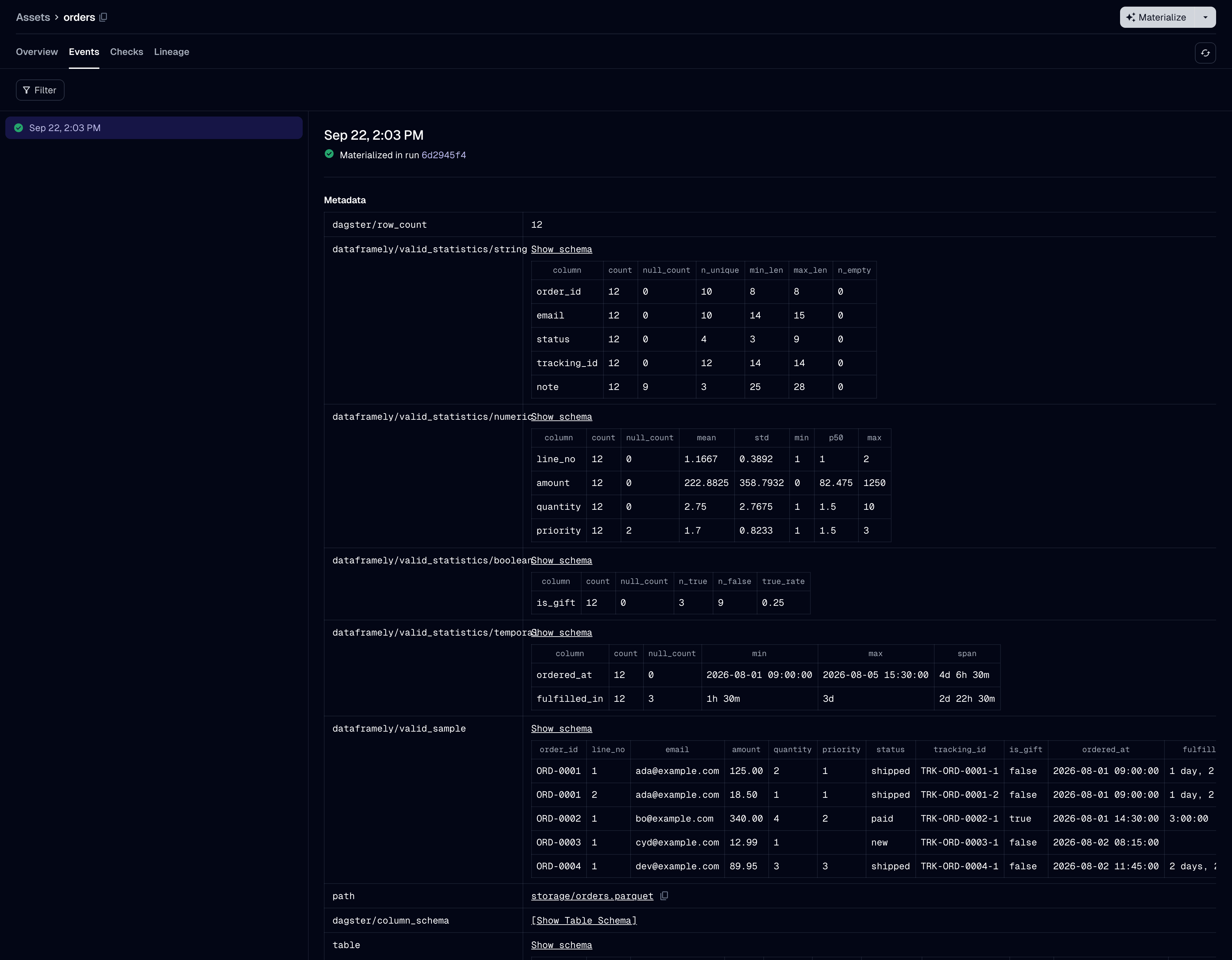
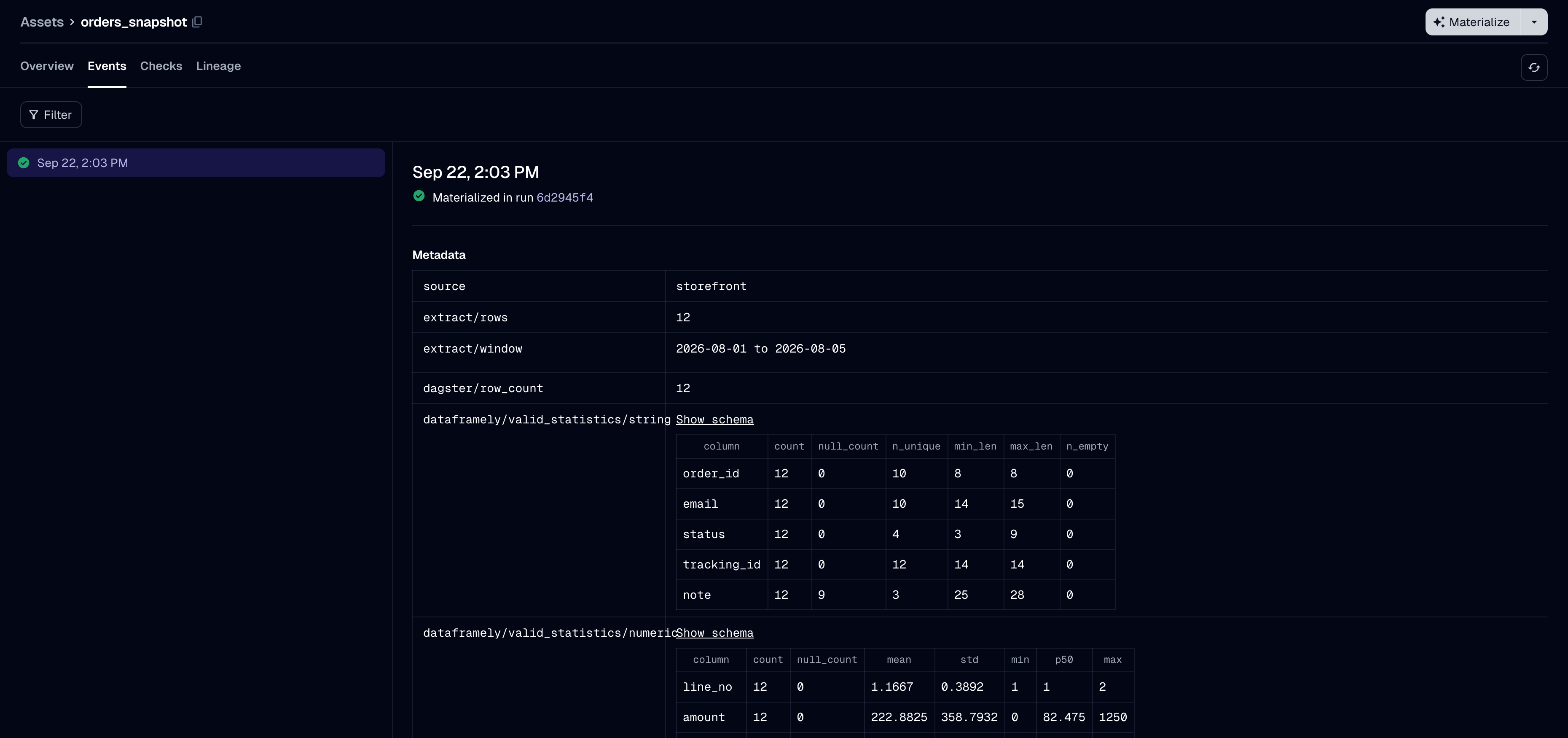
The row count is under Dagster’s own key, dagster/row_count. Every other key this package writes is in the dataframely/ namespace, so these keys sort together, apart from Dagster’s keys and your IO manager’s.
dagster/row_count |
how many rows passed validation, not how many the function returned |
dataframely/valid_sample |
the first few of those rows |
dataframely/valid_statistics/<group> |
one table per dtype group present |
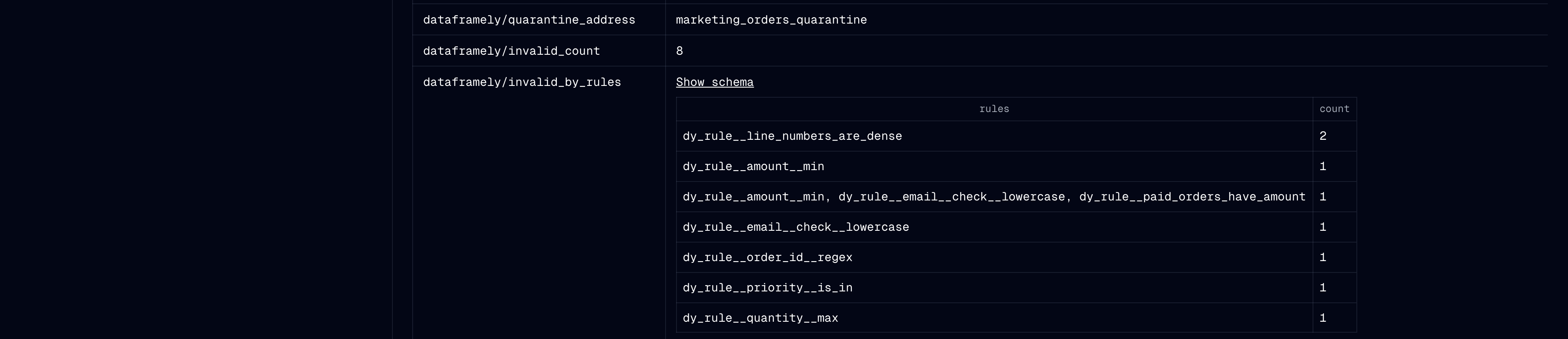
dataframely/quarantine_address |
where the writer wrote the invalid rows, on the runs that wrote any |
dataframely/invalid_count |
how many rows failed at least one rule |
dataframely/invalid_sample |
the first few of those, rule columns included |
dataframely/invalid_by_rules |
which sets of rules the rows failed together, largest group first |
The last four are absent when no rows failed. dataframely/invalid_by_rules counts each invalid row once, under the set of rules it failed. So one bad upstream field that fails three rules appears as one group, not as three unrelated counts. It names rules as the quarantine’s rule columns do, so its names match the check names only at rule granularity.
Every value that contains rows is a Dagster table value, not markdown, so the UI shows a sortable table. The two counts are integers, and the quarantine address is a string.
The statistics tables
There is one table for each dtype group present in the written rows. Each table has one row per column, in the frame’s column order. A column whose dtype is in no group, such as a List, Struct or Array, appears in no table, because only a count and a null count would apply to it.
numeric |
Int*, UInt*, Float*, Decimal |
count, null_count, mean, std, min, p50, max |
temporal |
Date, Datetime, Time, Duration |
count, null_count, min, max, span |
string |
String, Categorical, Enum, Binary |
count, null_count, n_unique, min_len, max_len, n_empty |
boolean |
Boolean |
count, null_count, n_true, n_false, true_rate |
The package computes mean, std, p50 and true_rate, so it rounds them to four decimal places. min and max are values from the data, so the table shows them exactly. The one exception is a Decimal: the table shows it as a float, so it rounds any value with more digits than a float holds.
Lengths are in bytes, the unit of Dataframely’s max_length on a String, so this table matches the column constraints. The table shows a span in Polars’ own duration form, such as 8d or 1m 30s, not ISO-8601.
The string group has no statistic that shows values from the data, at any setting. A min or max on an email column would write real addresses into the event log, which a deployment shares, anyone can export, and nothing deletes. Lengths and cardinality detect the same problems.
The package computes no statistics for the invalid rows.
The checks
The column-schema check reports first and is blocking. Each rule set then has one check.
dy_rule, dy_rule__expr |
a check reporting for one rule |
dy_failed_count |
a check reporting for one rule, when any row failed |
dy_failed_sample |
any check, when any row failed |
dy_rules |
a collapsed check: a row per rule with its failure count and expression |
dy_schema__errors |
the column-schema check, when it fails: a row per mismatched column |
A bound appears in dy_rule__expr, not in the check name, so changing a min neither renames the check nor starts a new check history. In a collapsed check, each row of dy_failed_sample has a dy_rule column with the rule that row failed. A collapsed check has no total failure count. Counts are per rule, and one row can fail several rules, so their sum is not a row count.
max_failure_samples applies per rule, not per check. So in a collapsed check, a rule that a thousand rows failed cannot fill the sample and leave out a rule that one row failed.
A run that raises NoValidRowsError yields no materialization, so the package copies dataframely/quarantine_address onto every check result instead.
The Columns tab is not one of these two places. It comes from the asset definition, so the catalog shows it before the first run and still shows it after a failed run.